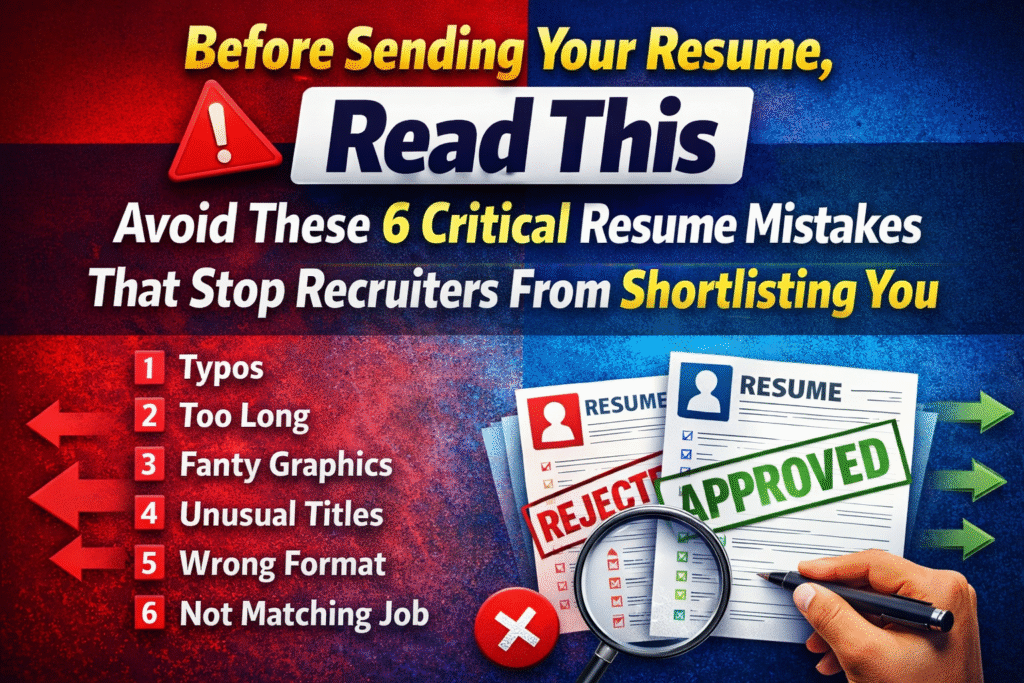
Avoid These 6 Critical Resume Mistakes That Stop Recruiters From Shortlisting You
In today’s competitive job market, recruiters receive hundreds of resumes for a single position. Because of this volume, they often spend only 5–10 seconds scanning a resume before deciding whether to continue reading or move on.
In simple terms, your resume goes through a “left swipe or right swipe” moment. If it looks confusing, unprofessional, or irrelevant, it gets rejected instantly.
Many candidates believe that complicated designs or long descriptions will impress recruiters. In reality, recruiters prefer resumes that are clear, professional, and easy to scan.
Here are six major mistakes that cause resumes to get rejected — and how you can avoid them.
1. Typographical Errors (Typos)
One of the fastest ways to lose credibility is spelling or grammar mistakes in a resume.
Your resume represents your professional attention to detail. When recruiters notice typos, they immediately assume that the candidate is careless or did not review their document properly.
Common Mistakes
- Spelling errors like Managment instead of Management
- Incorrect grammar in sentences
- Inconsistent formatting or punctuation
- Random capitalization
Even a few mistakes can damage the professional image of your resume.
How to Avoid It
✔ Proofread your resume multiple times
✔ Use grammar checking tools
✔ Ask someone else to review it
✔ Read the document slowly before sending
A clean, error-free resume instantly creates a positive first impression.
2. Resume Length Should Be 1–2 Pages
Many candidates believe that adding more information makes their resume stronger. However, recruiters prefer resumes that are concise and easy to read.
A resume that is too long often discourages recruiters from reading it completely.
Ideal Resume Length
The recommended length is:
1–2 pages
This allows you to present your key achievements without overwhelming the reader.
What to Avoid
❌ Writing long paragraphs
❌ Including every job since college
❌ Listing irrelevant experiences
❌ Adding too many unnecessary details
Focus on relevant experience and measurable achievements instead.
3. Avoid Fancy Graphics — Use Bullet Points and Highlighted Keywords
Many candidates use fancy graphics, charts, icons, and design elements in their resumes. While these may look attractive, they often create problems for recruiters and automated systems.
Most companies use Applicant Tracking Systems (ATS) to scan resumes. Fancy designs can make the resume difficult for these systems to read, leading to rejection before a recruiter even sees it.
What Works Better
Instead of graphics, use:
✔ Clear bullet points
✔ Bold keywords for important skills
✔ Clean formatting
✔ Professional fonts
Bullet points allow recruiters to quickly scan achievements and skills, making your resume more effective.
4. Avoid Fancy Section Titles — Use Standard Resume Headings
Some candidates try to make their resumes unique by using creative titles such as:
- Career Journey
- My Professional Story
- Work Exposure
- Career Adventure
While these may sound creative, recruiters and ATS systems expect standard section headings.
Use Standard Professional Headings
Always use commonly accepted titles such as:
✔ Contact Information
✔ Professional Summary
✔ Work Experience
✔ Skills
✔ Education
✔ Certifications
Using standard headings helps recruiters quickly find the information they need.
5. Avoid Sending Resume in Image, Text, or PPT Format
Another common mistake is sending resumes in incorrect file formats.
Some candidates send resumes as:
❌ Images (JPG/PNG)
❌ Text documents
❌ PowerPoint presentations
These formats can create problems because they may not display correctly across devices or ATS systems.
Best Format to Send
The most professional and widely accepted format is:
PDF resumes maintain consistent formatting, look professional, and are easy to share.
Always send your resume as a PDF file unless the recruiter specifically asks for another format.
6. Match Your Resume with the Job Description
One of the biggest reasons resumes get rejected is lack of relevance to the job description.
Many candidates send the same generic resume to every job application. Recruiters quickly notice when a resume does not match the job requirements.
Why Matching the Job Description Matters
Recruiters are searching for specific skills and experience mentioned in the job posting. If those keywords are missing from your resume, the application may not pass the initial screening.
How to Improve Your Chances
✔ Read the job description carefully
✔ Identify important skills and keywords
✔ Highlight relevant experience in your resume
✔ Customize your resume for each role
When your resume aligns with the job description, recruiters can immediately see that you are a suitable candidate.
Final Thoughts: Make Recruiters Swipe Right
Your resume is often your first interaction with a recruiter. If it looks confusing, unprofessional, or irrelevant, it may be rejected within seconds.
To increase your chances of getting shortlisted, remember these six rules:
✔ Remove all typo errors
✔ Keep your resume length between 1–2 pages
✔ Avoid fancy graphics — use bullet points and keywords
✔ Use standard resume headings
✔ Send your resume in PDF format
✔ Match your resume with the job description
By following these simple principles, your resume will become clear, professional, and recruiter-friendly.
And instead of getting a left swipe, your resume will finally receive the right swipe — the interview call. 🚀
